

The Bengal Story Bureau: The West Bengal government has activated socialregistry.wb.gov.in, the official Social Registry portal through which new applicants register for the Annapurna Bhandar scheme and submit the mandatory Family Level Data Collection form. The portal, built by the National Informatics Centre, went live alongside the scheme’s payment rollout in the first week of June 2026 and has since seen a surge of traffic from across the state.
Search interest in the portal’s address has exploded within days of launch, with lakhs of women attempting to log in, register family details and apply for the Rs 3,000 monthly assistance that has replaced Lakshmir Bhandar.
One scheme, two official portals
Much of the confusion online stems from the fact that the scheme runs on two official government platforms with similar names.
Read More: Guns come out on last day of campaigning during Dilip Ghosh’s rally, EC seeks report
socialregistry.wb.gov.in is the new registration portal. New applicants use it for the citizen login, the Family Level Data Collection form and fresh Annapurna Bhandar applications. socialsecurity.wb.gov.in is the state’s existing social security portal. It hosts the downloadable application form, the Track Applicant Status tool and services connected to beneficiaries migrating from Lakshmir Bhandar.
Both are run by the Government of West Bengal. Any other address, including privately registered lookalike domains that use the scheme’s name, is not official, and applicants should never enter Aadhaar or bank details on such sites.
How to log in and register
The registration flow on socialregistry.wb.gov.in is built around mobile OTP verification, and no password is needed.
Open the portal and click the Citizen or Family Login option on the homepage. Select your district from the dropdown menu, then enter your mobile number, preferably the one linked to Aadhaar, and click Request OTP. Enter the OTP received by SMS, and the citizen dashboard opens.
If the OTP does not arrive, officials advise checking whether DND is active on the number, waiting two minutes and retrying. The portal also offers a change-mobile-number option before OTP verification for those who typed the wrong digits.
Filling the Family Level Data Collection form
The heart of the registration is the Family Level Data Collection form, which captures the entire household before any individual benefit is processed.
The form opens with the head of the family, usually the senior-most or primary earning member. The applicant fills in the name exactly as it appears on Aadhaar, date of birth, gender, social category, Aadhaar number, voter ID details including the EPIC number, and a contact number. Every member of the household is then added one by one. The woman applying for Annapurna Bhandar must be added as a family member if she is not the head of the family herself.
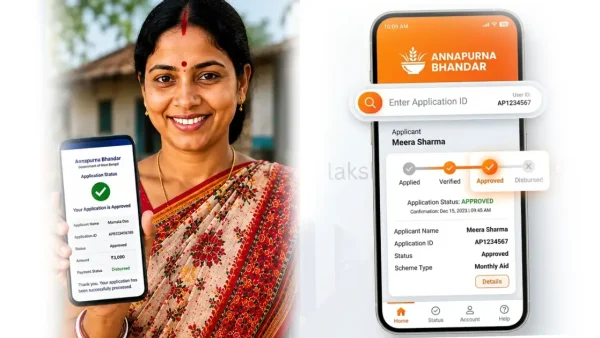
Once the family record is complete, the dashboard lists the welfare benefits available, and the applicant selects the Annapurna Bhandar scheme, enters her Aadhaar-linked bank account details, reviews each field and submits. The portal issues an Application ID, which should be saved for status tracking.
After submission
The dashboard on the same login later displays the application’s progress: under review, approved or rejected with reasons. The District Magistrate, or the KMC Commissioner in Kolkata, sanctions approved names, after which the Rs 3,000 monthly transfer begins through DBT.
What happens next
The portal sits at the centre of the state’s 90-day enrolment drive, and the government has said the beneficiary list will be refreshed every seven days as verification clears fresh batches. Applicants struggling with the online route can instead apply offline at Duare Sarkar camps or block offices, where officials assist with the same family data form. For everyone else, the safest path is simple: type socialregistry.wb.gov.in directly into the browser, log in with the OTP, and never share that OTP with anyone claiming to apply on your behalf.